Asad Ullah

Written by Asad Ullah

VP of Engineering & Co-founder @Classverse

Emergency Learning: How Classverse helps keep education going in any crisis​

Let’s talk about:

When an unexpected crisis strikes – whether a global pandemic, natural disaster, or any emergency that shuts school doors – one lesson is clear: learning must not stop. In early 2020, UNESCO reported that 91% of the world’s students (over 1.5 billion learners) were out of school due to COVID-19 lockdowns . Across the globe, educators scrambled to shift lessons online virtually overnight. This urgent shift to emergency learning (also known as emergency remote teaching) was about keeping education alive during disruptions, ensuring that even when students and teachers cannot meet in person, classes can continue through virtual means. In this blog, we’ll explore what emergency learning entails, the challenges it presents, and how Classverse is an ideal tool to ensure education continuity during any crisis.

What is emergerncy learning?

Emergency learning refers to the rapid deployment of remote or distance education when normal schooling is interrupted by unforeseen events. In contrast to pre-planned online programs, it’s essentially a temporary shift of instruction to an alternate mode due to crisis circumstances. The goal isn’t to perfect a new curriculum overnight, but to provide quick, reliable access to teaching and learning so students don’t fall behind when schools are closed. Think of it as an academic lifeline during disasters.

This concept gained prominence during COVID-19, but it applies to any situation that makes physical classes impossible – be it severe weather, natural disasters, public health emergencies, or safety concerns. For example, snowstorms or floods might close school buildings for days; political unrest or transportation strikes can prevent travel; and of course, pandemics can disrupt schooling nationwide. An effective emergency learning plan ensures that education continues seamlessly despite these disruptions. It provides clear guidelines and tools so that administrators, teachers, students, and parents know how learning will proceed when routines are upended. In short, emergency learning is about preparedness and flexibility: having the means to shift to virtual classrooms at a moment’s notice and maintain a sense of normalcy and routine for learners.

Why does this matter so much? Research and experience show that prolonged interruptions in education can be devastating. During crises like Ebola and COVID-19, students who couldn’t access learning faced higher risks of dropout and learning loss. Conversely, providing some form of distance learning – whether via internet, TV, radio, or printed packets – helps mitigate these effects. Quality education offers children stability, hope, and structure even in chaos. Emergency remote learning, when done effectively, ensures that “schooling may stop, but learning must not”. It keeps students engaged, keeps them progressing through curriculum, and can even provide a positive focus for families amid a crisis.

Challenges of teaching during emergencies

Implementing emergency learning on the fly isn’t easy. The rapid move to online instruction in 2020 revealed several challenges that schools and universities face during crises:

1. Too many disconnected apps

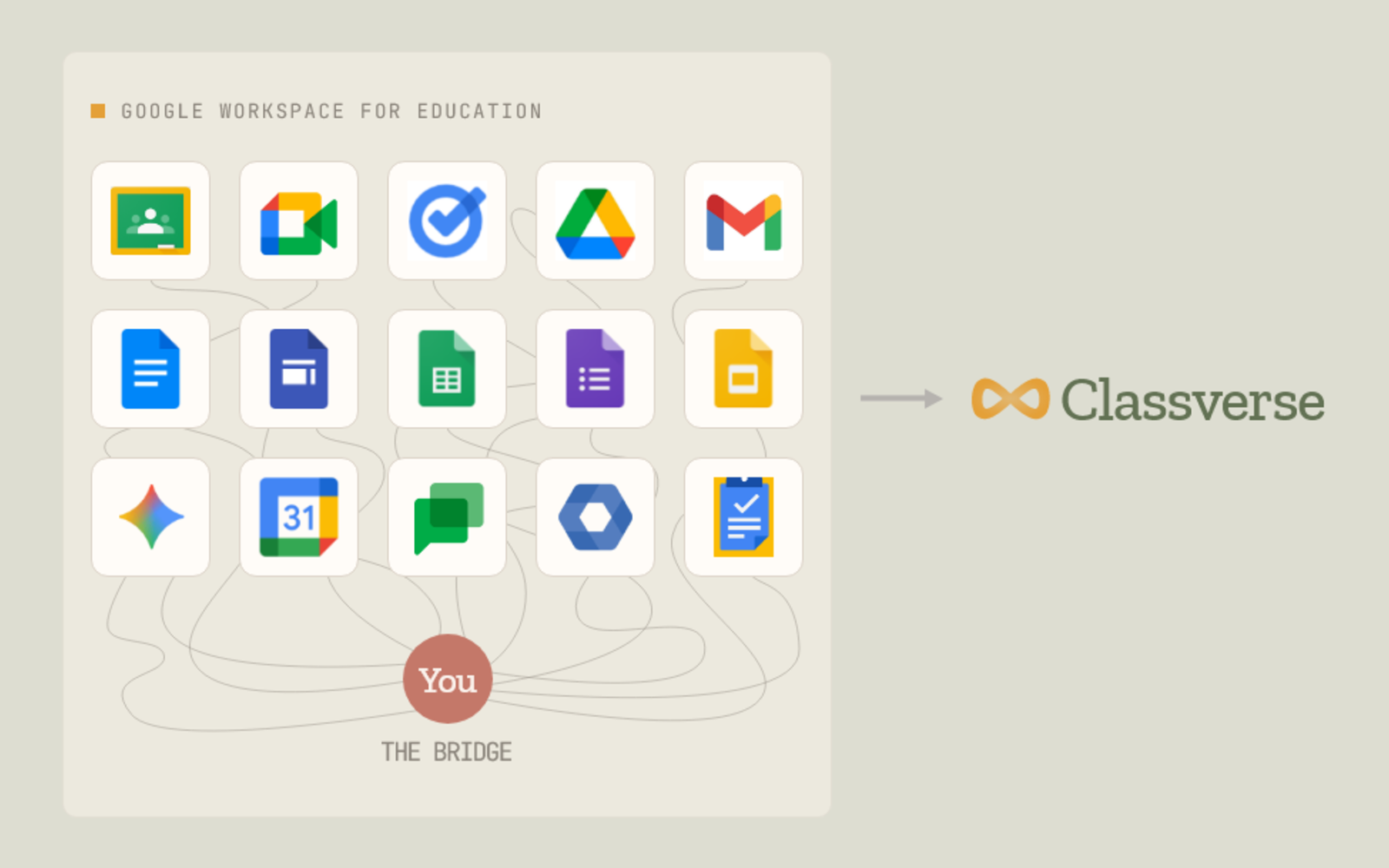
Using too many disconnected apps for online classes can overwhelm educators and learners. In fact, many schools found themselves relying on 10–15 separate tools to replicate the functions of a classroom during the pandemic. One app for video conferencing, another for posting assignments, a different platform for discussions, plus email and messaging apps – the list goes on. This fragmented approach is difficult for teachers to manage and confusing for students and parents. Switching between siloed apps leads to lost time and frustration for educators who just want to focus on teaching. A recent survey confirmed that this app overload is widespread, with the majority of schools juggling up to fifteen different e-learning tools. The more complex the tech setup, the harder it is to maintain continuity in an emergency.

2. Poor engagement and instruction quality

Engagement and instructional quality are another major concern. Simply live-streaming lectures or sending PDFs is not a sustainable substitute for interactive classroom learning. Many teachers forced into webinar-style lessons found that video calls can easily turn into one-way broadcasts with passive students. Student participation often drops when instruction isn’t designed for online, as learners tune out of monotonous video lectures. It’s a challenge to recreate the social, hands-on aspects of a classroom in a virtual space, especially with little preparation time. Moreover, not all teachers are trained in online pedagogy – during a crisis, expecting everyone to master new digital teaching methods overnight is unrealistic. The result in early emergency teaching efforts was often “make-do” classes that were less engaging and less effective than in-person lessons, through no fault of the teachers who were doing their best under pressure.

3. Logistical and hardware issues

There are also logistical and equity issues. Not every student has a quiet study space or high-speed internet at home. In emergencies, some families may be dealing with far more pressing hardships. Educators must be mindful of these realities – flexibility (like recorded lessons to accommodate those who can’t join live) and inclusivity (providing offline materials when needed) are key parts of emergency learning. Coordinating communication is critical as well: schools need clear plans for how teachers will contact students, how assignments will be distributed and collected, and how feedback will be given, all under unusual conditions. Without a solid plan, the sudden switch to remote learning can feel chaotic.

In summary, the challenges include: a chaotic mix of tools, unprepared teachers, unengaged students, and uneven access to technology. Overcoming these hurdles requires not just effort and training, but also the right platform – one that simplifies the tech and supports effective online pedagogy. This is where an all-in-one solution like Classverse becomes invaluable.

Classverse: A One-Stop Solution for Emergency Learning

A modern virtual classroom platform like Classverse is built from the ground up to address the above challenges. Classverse isn’t just another video call app or a basic learning management system – it’s an integrated online learning environment that brings all the critical functions of a classroom into one place. This all-in-one approach makes it an ideal tool for emergency learning scenarios, when educators need to get online quickly and keep students engaged without missing a beat.

Classverse provides a unified virtual classroom interface accessible on any device, simplifying the shift to online learning. Because it runs entirely in the browser (with optional mobile apps), neither teachers nor students need to install complicated software. If an emergency closure happens, a school can literally launch its online campus in minutes with Classverse. There’s no need for a large IT team or expensive infrastructure – Classverse is free to start and quick to set up, removing the typical barriers of cost and complexity. This means even under sudden or dire circumstances, any institute can turn on a virtual classroom and resume teaching right away.

Let’s look at some key features of Classverse and how they specifically support emergency remote teaching:

1. Unified platform

Instead of juggling multiple apps, educators get everything in one place. Classverse combines live video conferencing, class scheduling, attendance tracking, discussion forums, assignment submission, grading, and content sharing in a single platform. You can run a live class, share slides or videos, interact via chat or a virtual whiteboard, and assign homework, all without leaving Classverse. This unity greatly simplifies emergency teaching – teachers and students only have to learn one system, and all class activities stay organized under one virtual roof.

2. Quick setup and flexibility

Speed matters in a crisis. Classverse allows schools to create a virtual classroom hub within minutes, as fast as filling out a sign-up form. Courses, timetables, and user accounts can be set up with minimal effort, so you can pivot from physical to online classes almost immediately. Because it’s cloud-based and scalable, Classverse works for a small group of students or an entire university cohort – there’s no downtime when you suddenly need to onboard hundreds of users. Educators can easily invite students via a link or email, and students can join from any device (laptop, tablet, or smartphone) at home.

3. Persistent classroom spaces

In Classverse, each course gets a dedicated virtual room that persists over time. All your course materials, announcements, and even recordings of live sessions remain accessible in that room. This is crucial for emergency learning – if a student misses a live class due to power outage or other issues, they can replay the recorded session later. The persistent course page also serves as a hub where teachers can post resources or updates and students can ask questions (even outside of live class hours) in a forum-style feed. Nothing gets lost, and learning can happen asynchronously as needed.

4. Interactive tools for interactive learning

Classverse goes beyond basic video calls. It includes features to keep students engaged remotely, such as a virtual whiteboard for real-time illustration, polls and quizzes for interaction, and breakout group support for collaborative activities. Teachers can plan interactive lessons and even incorporate multimedia easily (for example, sharing a YouTube video or an interactive Miro board within the platform). By enabling these diverse teaching techniques, Classverse helps maintain student interest and participation during online classes – addressing the common emergency learning problem of disengaged, passive learners.

5. Automated attendance and analytics

In a disrupted environment, tracking student progress is vital – you need to know who is attending and who might be falling behind. Classverse automatically records attendance for each live session and tracks student participation through its tools. Teachers and administrators have access to dashboards showing metrics like attendance rates, time spent in class, quiz scores, and more. These real-time insights allow for quick intervention – for instance, if a student isn’t showing up to virtual classes, the school can reach out and offer support. During emergencies, such data is a lifeline to ensure no student slips through the cracks. Additionally, Classverse can generate reports for classes or individual students, making it easier to communicate progress to parents or stakeholders even when everyone is remote.

6. User-friendly and device friendly

A big advantage of Classverse in an emergency is how accessible and easy to use it is. It’s designed for educators, not tech experts – the interface is intuitive, and most tasks are a click away (like launching a class or posting an assignment). Teachers and students can access it via web browser without any software installation, which means fewer technical hiccups when working from home. There are also mobile apps available, so students with only a smartphone at home can still attend class, review materials, or get notifications on the go. In an emergency scenario, this broad accessibility is key. No matter where your faculty and students are hunkered down – with a laptop at a kitchen table or on a phone from a shelter – Classverse ensures they can connect to the classroom.

7. Reliability and security

Finally, Classverse is built to be dependable under pressure. It employs cloud infrastructure to handle large numbers of concurrent users and live video streams, so classes run smoothly even as you scale up. The platform also takes care of data security and privacy concerns with encryption and compliance measures – a relief for schools that might otherwise worry about the safety of using online tools. When dealing with an emergency, educators shouldn’t have to also become IT security experts, and with Classverse they don’t have to.

By providing all these capabilities in one package, Classverse effectively eliminates the “patchwork” approach to remote learning. There’s no need to cobble together a video app, a separate LMS, an email system, and so on – Classverse acts as your virtual school, one that can be activated whenever and wherever it’s needed. This not only streamlines operations during a crisis, but also reduces stress on teachers and students. Everyone knows where to go for their classes and resources, which helps maintain a sense of routine and normalcy.

Conclusion: Building Resilient Education for the Future

If the past few years have taught us anything, it’s that educational resilience is now a core part of schooling. Emergencies will happen – whether a once-in-a-century pandemic or more frequent local disruptions – and institutions that prepare for them will ensure their students keep learning no matter what. Embracing emergency learning capabilities doesn’t mean we value traditional classrooms any less. On the contrary, it means extending the classroom’s reach and safeguards. As one Classverse co-founder noted, virtual learning isn’t about replacing physical classrooms, “it’s about enhancing them, extending them, and making education more accessible, resilient, and future-ready.” By building a strong virtual infrastructure now, schools and training centers future-proof themselves against disruptions and demonstrate a commitment to uninterrupted learning.

Classverse is a powerful ally in this mission. It was “built around your challenges, not workarounds”, as the platform’s philosophy states. In the face of an emergency, Classverse gives educators control and confidence – the ability to transition to online teaching seamlessly, engage students effectively, and track outcomes closely. For teachers and administrators, it means less time fighting technology and more time doing what they do best: teaching. For students, it means their learning experience remains consistent and supportive, even if the world around them is in turmoil.

In conclusion, emergency learning is here to stay as a critical component of modern education strategy. Schools and organizations that integrate flexible virtual classroom solutions will find they can weather any storm with minimal learning loss. With Classverse, implementing emergency learning becomes not only feasible, but smooth and efficient. Education has no boundaries – neither should learning. By leveraging tools like Classverse, we ensure that even when physical classrooms close, the lights of knowledge stay on and every student can continue their journey without interruption. After all, when it comes to our learners’ futures, there is no time to pause – even in an emergency, learning never stops.

Submit the form below to get your free account and start building your future-ready virtual campus today.

Classverse is a virtual classroom and institute management platform that helps schools, colleges, and training institutes manage live classes, assignments, grading, attendance, and communication—all in one place.

Yes! Classverse offers a free plan that allows institutes to create their virtual campus without any upfront cost.

Not at all. Classverse is designed for educators, not IT teams. You can set up your virtual campus in under five minutes.

Simply email us at zara.ziad@classverse.app and we’ll help you get your free account and virtual campus set up right away.

School

Classverse Free Account

Ready to Go Virtual? Get Your Free Account.

Flexible, modern software that helps institutes run better — from class delivery to admin and beyond.

Have questions?

Visit our page and send in your queries.